A Spelling App That Fits Your Classroom
Assign word lists, watch students practice in real time, and export CSV or PDF reports from one dashboard. Start with Dolch and Fry sight words, or type in whatever you're teaching this week.
Spelling Shouldn't Be This Hard to Manage
Common classroom challenges — and how Spell Again solves them
Grading paper spelling tests
Manually checking 25+ tests every week eats into your planning time.
Automatic grading with instant feedback. Students get real-time results. You get accuracy data without lifting a pencil.
Getting young students logged in
Kindergarteners can't type emails and passwords. Half the class period is spent on login.
4 easy login methods designed for kids. Start a class session and students tap their name, scan a QR card, use a simple login code, or click a magic link — no email required.
No individual progress visibility
You know the class average but not which words each student struggles with.
Real-time monitoring and detailed analytics. Watch students practice live during class sessions. See word-level accuracy for each student. Export CSV and PDF reports for conferences.
One-size-fits-all word lists
Some students need sight words while others are ready for advanced vocabulary.
Per-student assignments with forced game modes. Assign different lists to different students. Set Spell or Select mode per assignment. Students also have an independent Learn tab with smart practice queues.
Your First 10 Minutes
What a real classroom setup looks like, minute by minute. You can finish before morning recess.
-
0:00
Subscribe to Classroom, then sign in to the dashboard
Classroom is $49.99/year and unlocks student management. Sign in at
admin.spellagain.comwith the same account and complete Teacher Setup — you confirm the school you teach at and get your account authorized for rostering. -
0:01
Create a class
Name it, pick a color, done. You can create more later or archive ones from last year.
-
0:03
Add your students
Type names one at a time or paste a CSV roster. No student emails needed — every student gets a login code and a grade-appropriate password automatically.
-
0:05
Assign a first list
Pick a Dolch or grade-level list, or type your own 10–20 words. Assign it to the whole class with a due date and your preferred game mode (Spell or Select).
-
0:07
Hand out logins
Print the QR card PDF for K–3 (8 cards per page), or start a live class session and project the join code. Older students can use their login code + password directly.
-
0:10
Watch results come in
As students practice, the class session view updates with per-word correct/incorrect attempts. Export the run to CSV or PDF when you want to share with a parent or admin.
Paid checkout opens soon — you'll join the early-access list.
Classroom Tools That Save You Time
Everything you need to manage spelling across your classroom
Admin Dashboard
A dedicated web dashboard at admin.spellagain.com for managing students, assignments, and progress — separate from the student app.
Create Student Accounts
Create accounts directly from the dashboard — no student email required. Each student gets a simple login code and grade-appropriate password automatically.
4 Student Login Methods
Login code + password, live class sessions (tap name to join), printable QR cards, or magic links for parents. Pick what works for your grade level.
Live Class Sessions
Start a session, display a join code or QR. Students tap their name to log in instantly. Watch their practice in real-time as they work.
Assign Lists with Due Dates
Assign word lists to individual students or entire classes. Set due dates, add notes, and choose game modes per assignment.
Real-Time Progress Analytics
Track accuracy at the word, list, and class level. See who's struggling, who's excelling, and which words need the most practice.
Printable QR Login Cards
Generate a PDF of QR login cards for your class (8 per page). Students scan to log in instantly — no typing required. Choose in-class (24h) or take-home (7-day) tokens.
Bulk CSV Import
Import student rosters and create batch assignments from CSV files. Save hours of manual data entry at the start of each term.
Force Game Modes
Choose Spell mode (type the word) or Select mode (multiple choice) per assignment. Ensure students practice the way you want.
Class Organization
Create classes, link students to them, and filter views by class. Manage multiple classes from a single teacher account.
Export Reports
Download CSV or PDF reports per student or class. Share progress data with parents at conferences or with administrators.
Spelling Party
Host live classroom spelling competitions. Students compete in real-time with live scoring and a final leaderboard.
Up and Running in Minutes
Subscribe & Set Up
Subscribe to the Classroom plan, sign in at admin.spellagain.com, and complete Teacher Setup to authorize your account for your school.
Create a Class & Add Students
Create student accounts directly, import a CSV roster, or link existing accounts. Organize into classes and print QR login cards.
Create & Assign Lists
Build word lists, choose from pre-built options, or use AI generation. Assign to students with due dates.
Monitor & Report
Start live class sessions and watch students practice in real-time. Export PDF and CSV reports for conferences.
What Students Will See
Clean, distraction-free interface that keeps students focused

Practice Modes
Spell or multiple choice
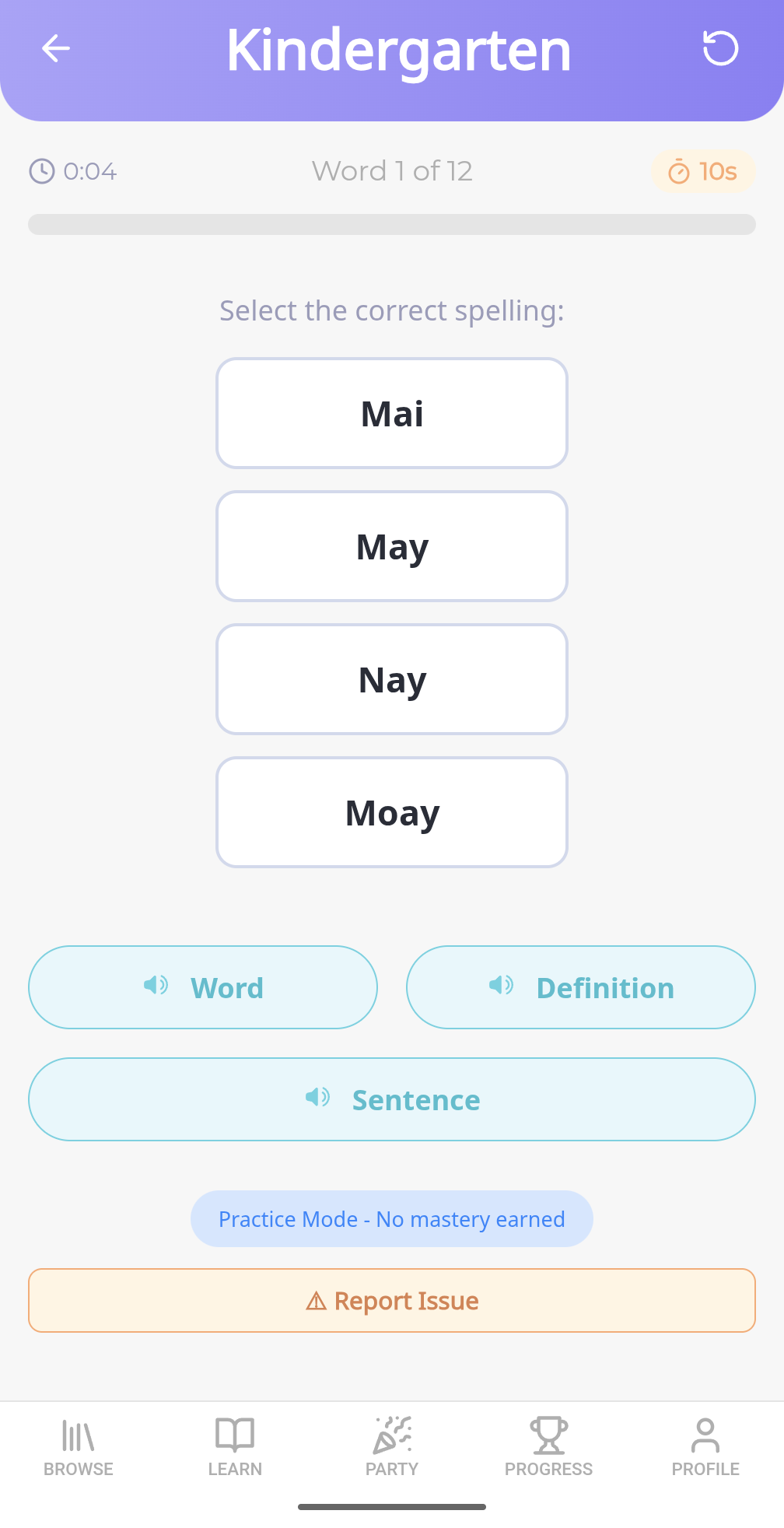
Select Mode
Great for early readers
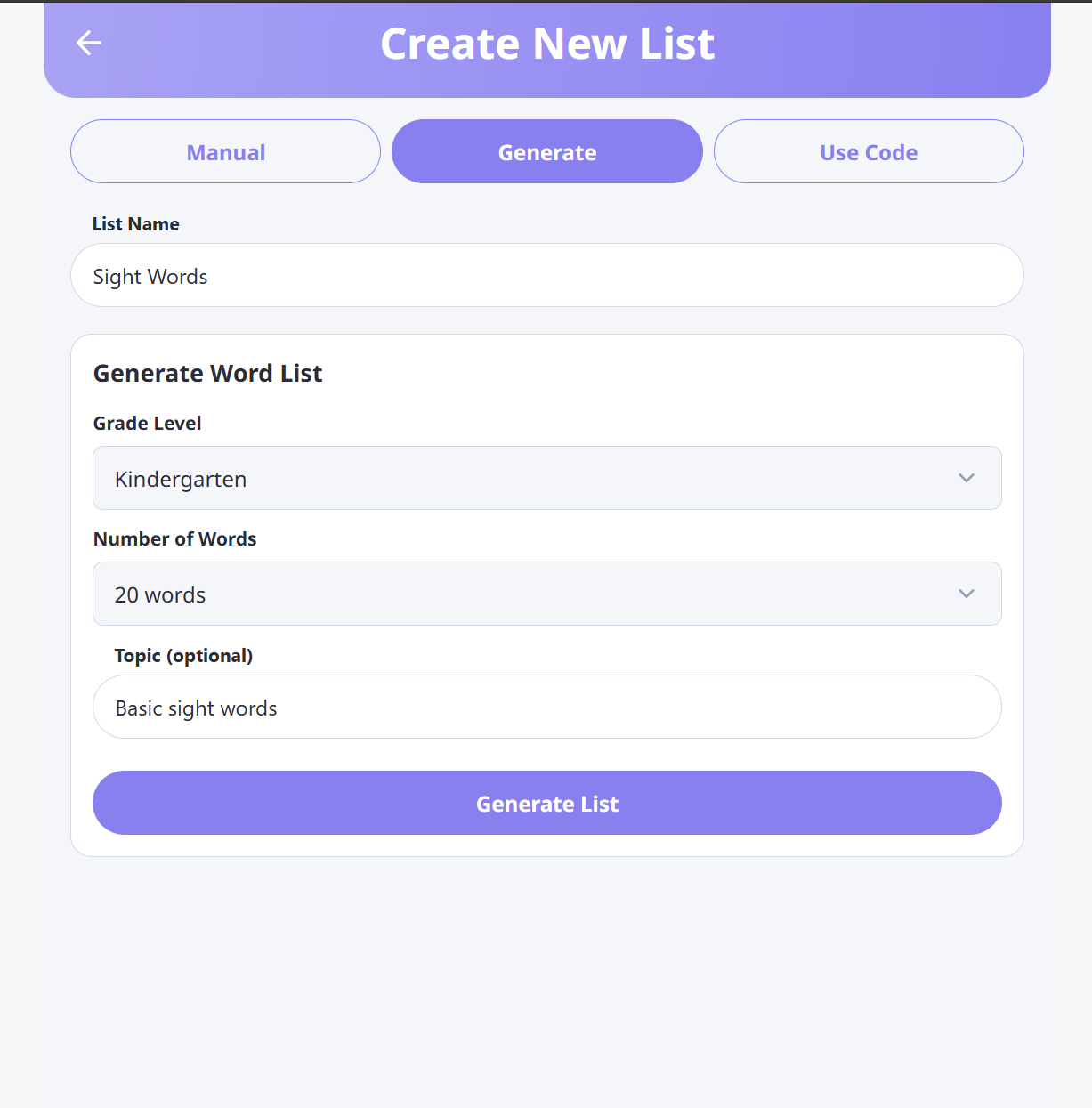
AI List Generation
Create lists by topic
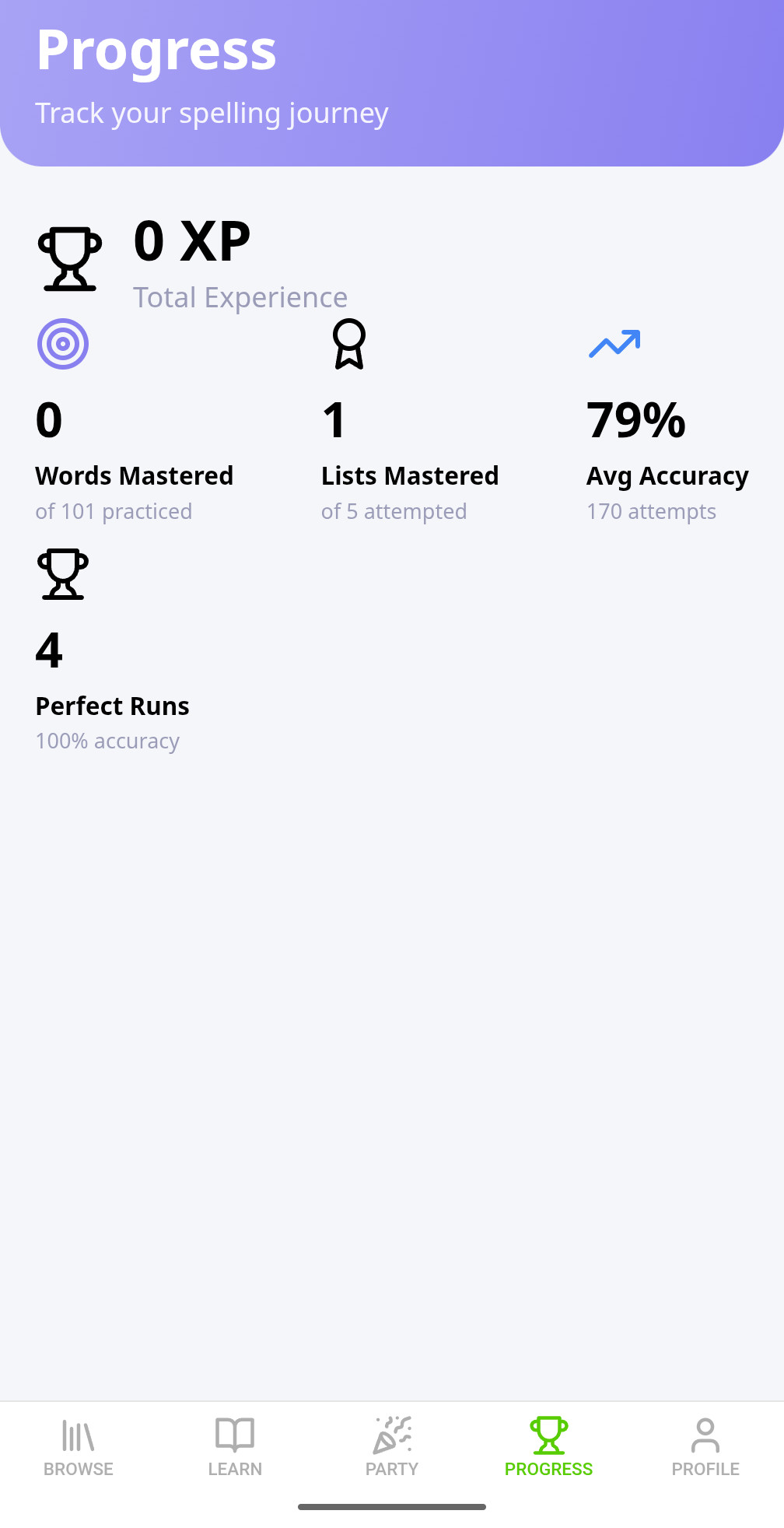
Student Progress
Track every learner

One Dashboard for Your Class
Every student's practice activity, class-wide accuracy, and individual mastery in one place — with real-time updates while students are working.
- Create student accounts and manage classes in one place
- Start live class sessions and watch students practice in real-time
- View word-level accuracy, identify struggling students automatically
- Generate QR login cards and reset passwords with one click
- Export PDF and CSV reports for conferences and administration

Words That Match Your Curriculum
Start with sight words for early readers or build advanced vocabulary for upper grades.
- Dolch sight word lists (Pre-Primer through 3rd Grade)
- Fry sight word lists (first 1000 words)
- Grade-level progressions (Pre-K through 12)
- AI-generated lists by topic, theme, or difficulty
- Create your own custom lists for any unit
Getting Students Logged In Is Effortless
Four login methods designed for every grade level — from kindergarten to high school
Live Class Sessions
Best for K-5Start a session from the dashboard and display the join code on your projector. Students go to the app, enter the code, and tap their name from the roster to log in instantly.
Bonus: Watch each student's practice in real-time — see which words they get right and wrong as they work.
QR Login Cards
Best for K-3Generate a printable PDF of QR login cards (8 per page). Each student gets their own card. They scan it with any device camera to log in — no typing at all.
Two modes: In-class cards (24-hour tokens) for daily use, or take-home cards (7-day tokens) for homework.
Login Code + Password
All gradesEach student gets a simple login code (like "john42") and a grade-appropriate password. K-2 students get easy passwords like "cat-sun52". Older students get stronger passwords.
One-click reset: Reset any student's password from the dashboard and copy the new credentials to share.
Magic Links for Parents
Home practiceSend a branded login link directly to a parent's email. They click the link and their child is logged in automatically — no password to remember.
30-day validity: One link works for a full month of at-home practice. Send a new one anytime from the dashboard.
See Every Student's Progress in Real-Time
During a live class session, the dashboard shows exactly what each student is doing:
- Which list each student is currently practicing
- Per-word results as they happen (correct/incorrect)
- Accuracy percentage for completed list runs
- Identify students who need help before they raise their hand
- Detailed per-student progress modal with word-level breakdown
Pricing for Educators
Affordable plans for classrooms of any size
Free
$0
3 lists, 10 words each. Browse and practice yourself — no student accounts.
Plus
$3.99/mo
Unlimited lists, 25 words, AI generation, family dashboard for up to 5 children.
Classroom
$49.99/yr
Everything in Plus, 50 words/list, up to 35 students, CSV rostering, QR login cards, live class sessions, assignments, and PDF/CSV reports.
Join the WaitlistPaid checkout opens soon — you'll join the early-access list.
Bring Spell Again to Your Classroom
Classroom is $49.99/year. Once you subscribe, setting up your first class takes about 10 minutes.