Help Your Child Master Spelling with Confidence
Audio-powered practice that kids can do independently. Track their progress, celebrate their achievements, and watch spelling skills soar — from sight words to advanced vocabulary.
Sound Familiar?
Common spelling challenges — and how Spell Again solves them
Kids resist spelling practice
Worksheets and flashcards feel like a chore. Kids lose motivation fast.
Gamification fixes this. XP, achievements, progress bars, and Spelling Party competitions make practice feel like a game.
Not sure what words to practice
Finding age-appropriate word lists is confusing. Should you start with sight words? Dolch? Fry?
Pre-built lists for every level. Grade-level lists from Pre-K through 12th grade, plus Dolch and Fry sight word lists. Or create your own.
No visibility into progress
You have no idea which words your child has mastered or where they need more help.
Mastery tracking dashboard. See word-by-word accuracy, list completion, XP earned, and achievements unlocked — all in one place.
Built for Families
Everything you need to support your child's spelling journey
Safe Learning Environment
Designed to align with COPPA. No ads, no third-party data sharing. Your child's information stays private and secure.
Track Your Child's Progress
See which words they've mastered, which need practice, their accuracy rates, XP earned, and achievements unlocked.
Create Custom Lists
Add homework words, use pre-built Dolch and Fry sight word lists, or let AI generate grade-appropriate lists on any topic.
Audio for Independent Learning
Every word has clear pronunciation, a definition, and an example sentence — all read aloud. Kids can practice without help.
Independent Learn Tab
Kids can practice grade-level words on their own with smart queues that mix new words and review. Progress through levels from Pre-K to 12th grade at their own pace.
Easy Login from Teachers
If your child's teacher uses Spell Again, you may receive a magic login link by email. One click and your child is logged in — no password to remember.
Gamification That Motivates
Earn XP for every correct answer, unlock achievements, and watch progress bars fill up. Kids stay engaged session after session.
Family Spelling Party
Host live spelling competitions with up to 30 players. Guests join with a code — no account needed. Perfect for family game night.
Getting Started Is Easy
Create an Account
Sign up free in under a minute. No credit card required.
Choose or Create Lists
Pick from pre-built sight word lists or create custom lists with your child's words.
Your Child Practices
They listen to words, type or select answers, and get instant feedback — all independently.
Track Mastery
Watch their progress in real-time. Celebrate when words and lists are mastered.
What Your Child Will See
A clean, intuitive interface designed for independent learning

Learn by Grade
Pre-K through 12th grade
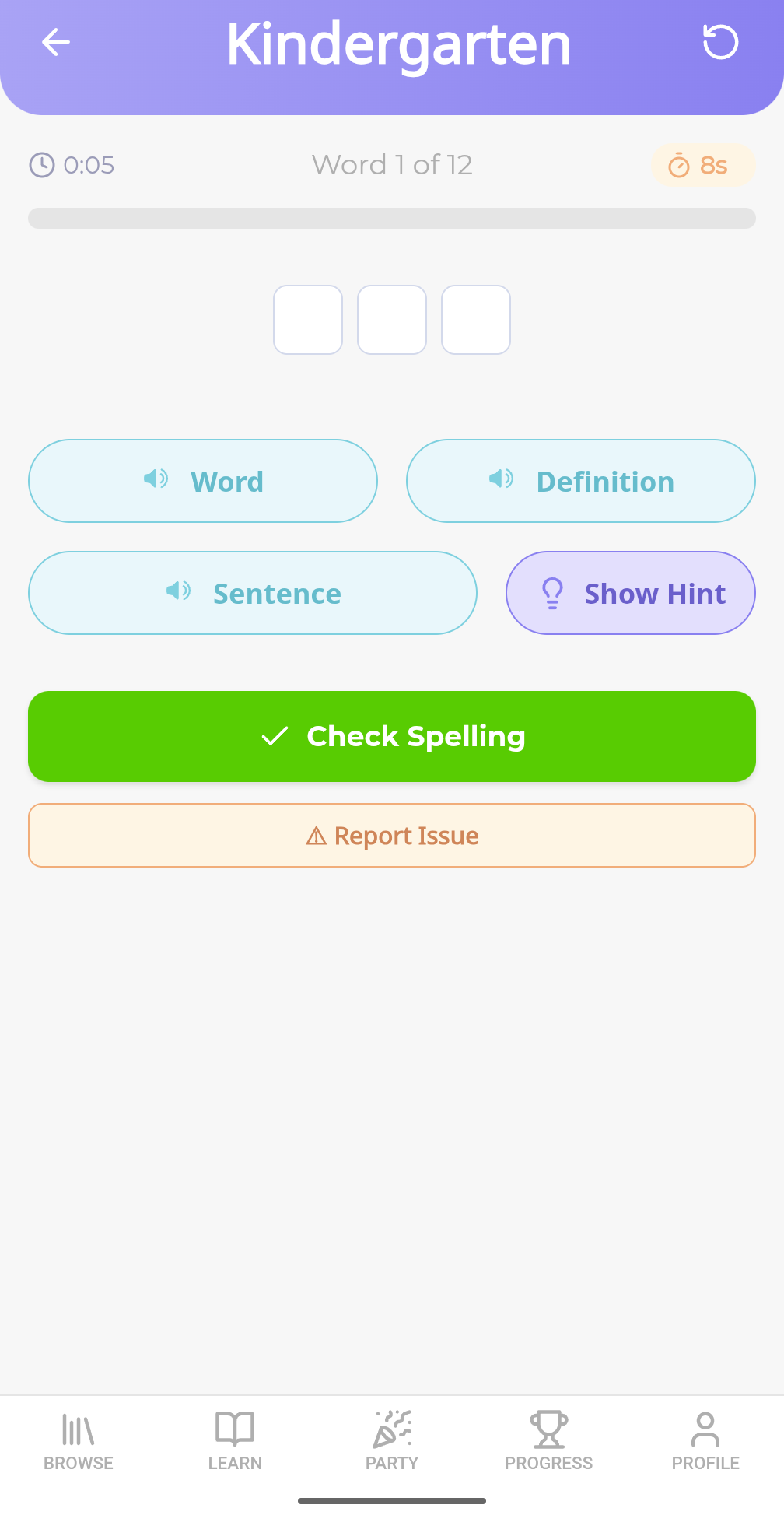
Spell Mode
Audio-powered practice
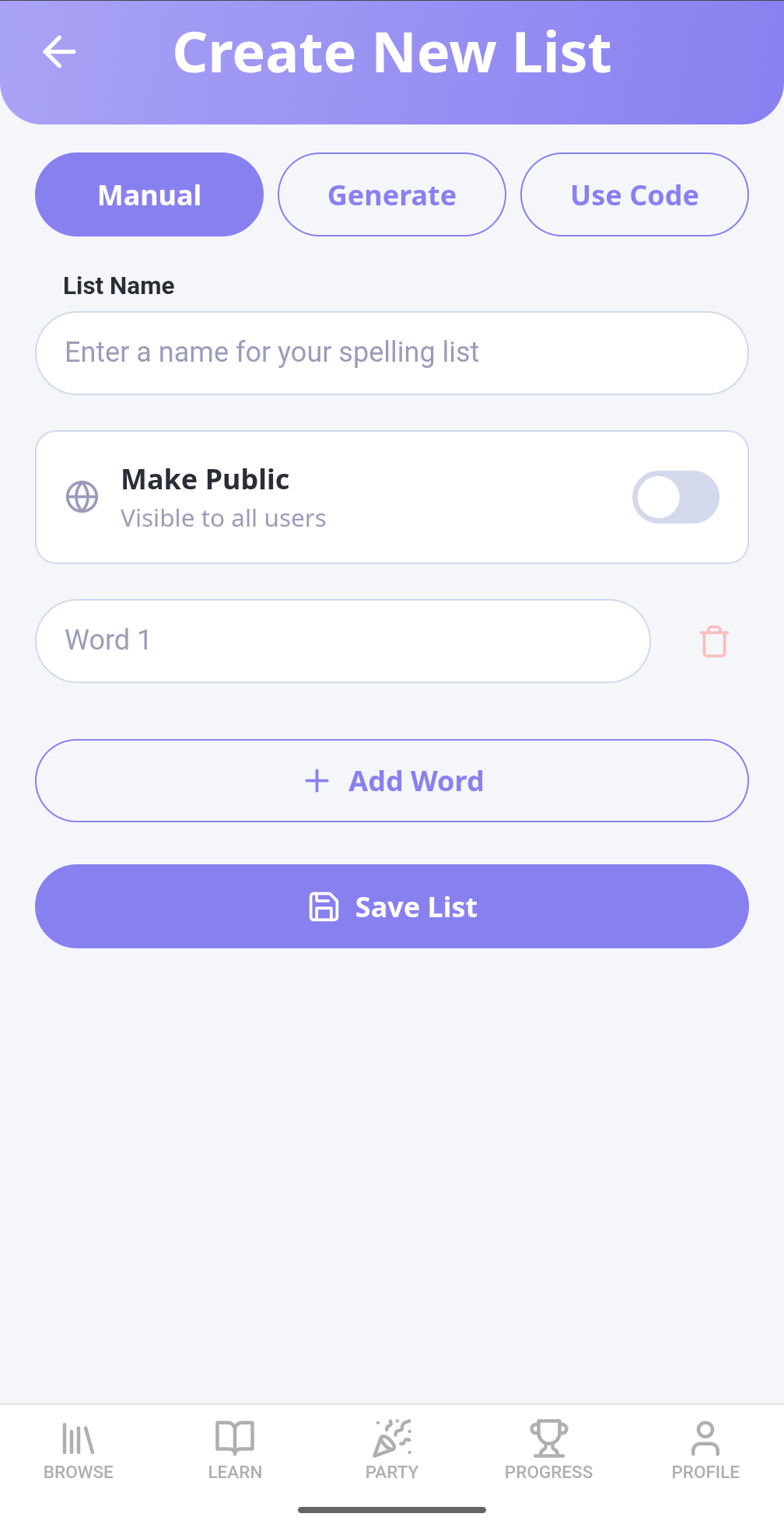
Custom Lists
Add homework words
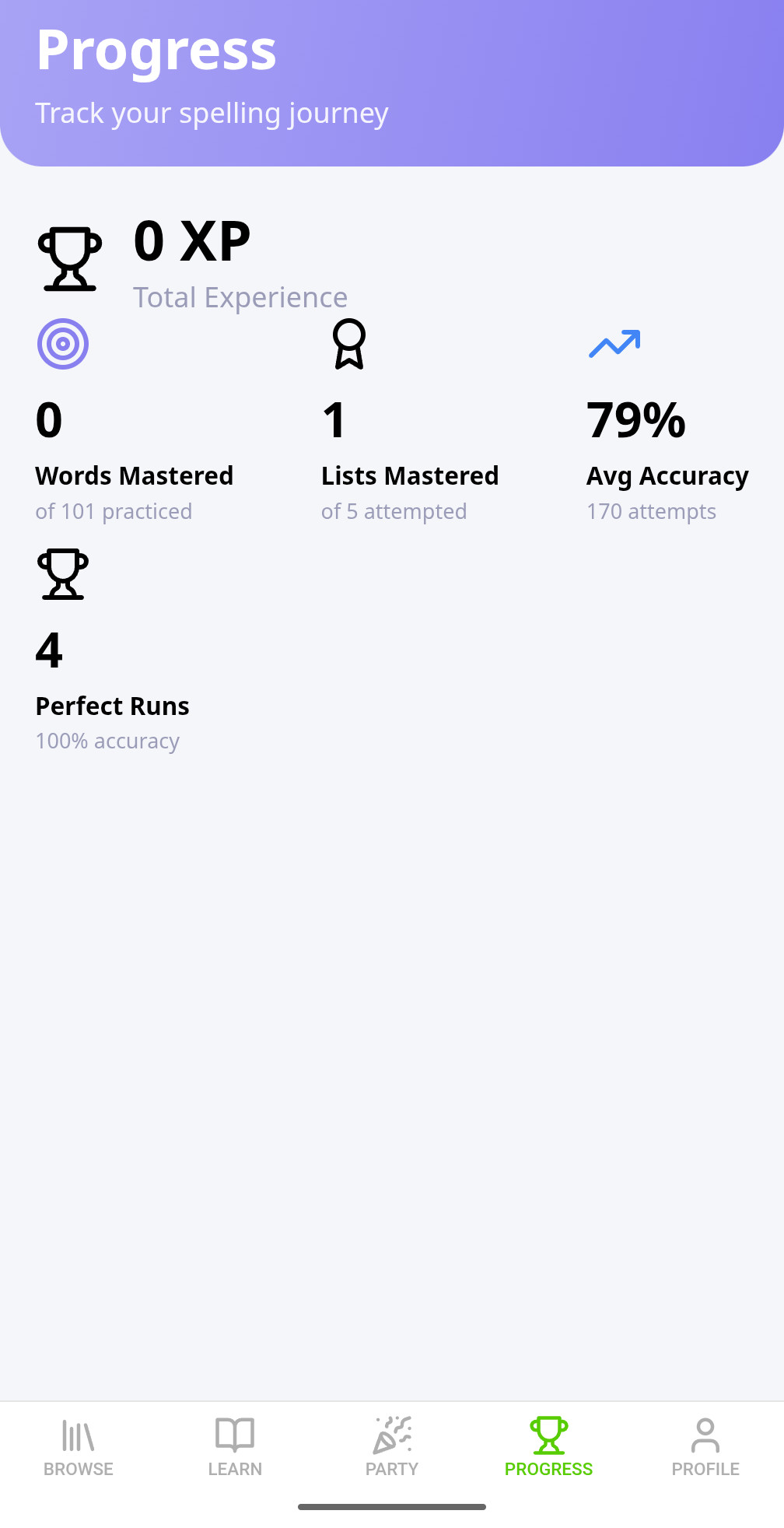
Track Progress
Mastery & XP stats

No Confusion, Just Learning
First time using Spell Again? Built-in walkthrough tours guide you and your child through every feature step by step.
- Interactive tooltips explain each screen
- Step-by-step guidance for creating first list
- Kids can navigate the app independently
- Replay tours anytime from settings

They Can Do It Themselves
Every word comes with three audio clips so your child never needs to ask "how do you spell it?"
- Clear pronunciation from 6 professional AI voices
- Definition read aloud for context
- Example sentence to hear the word used naturally
- Replay as many times as needed
Simple, Family-Friendly Pricing
Start free, upgrade when you need more
Free
$0
3 lists, 10 words each. Great for trying it out.
Plus
$3.99/mo
Unlimited lists, AI generation, family dashboard (up to 5 children).
Classroom
$49.99/yr
50 words/list, advanced analytics, up to 35 students.
Start Your Child's Spelling Journey Today
Free to start, no credit card required.